Hard Edge Selection – One-Click Tool for Autodesk Maya


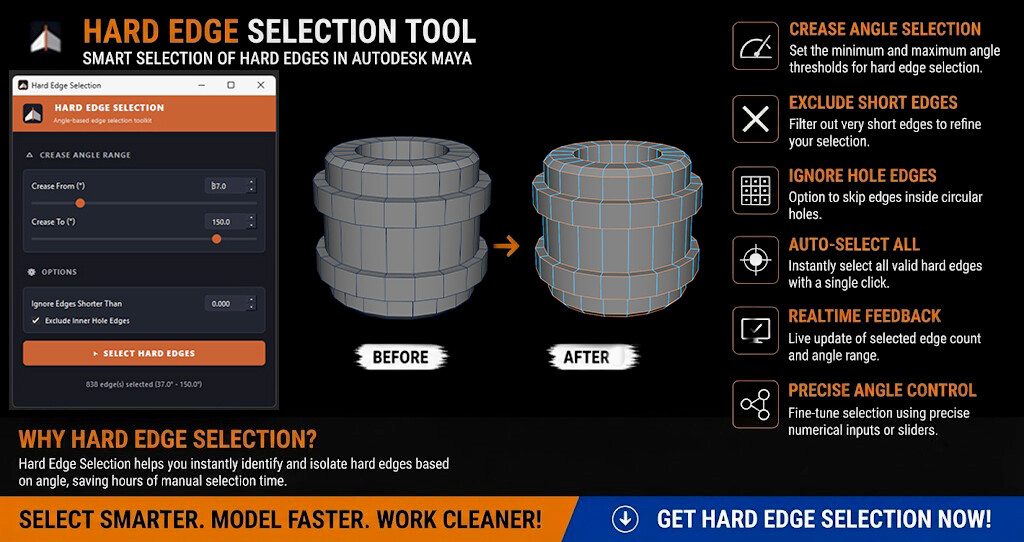
Speed up your modeling cleanup workflow with Hard Edge Selection for Autodesk Maya.
Instead of manually clicking through edges to mark creases or hard-surface breaks, Hard Edge Selection lets you instantly select all hard edges on your mesh based on a crease angle range, with live feedback and one click.
Whether you're working on hard-surface models, mechanical parts, props, or complex topology, Hard Edge Selection helps reduce repetitive edge-picking and keeps your modeling workflow fast and clean.
Features
- Crease Angle Range control (min / max threshold)
- One-click Select Hard Edges
- Ignore Edges Shorter Than filter
- Exclude Inner Hole Edges option
- Auto-filters triangulation diagonal edges
- Real-time selected edge count feedback
- Precise numerical input or slider control
- Clean and simple user interface
- Lightweight and fast workflow
- Helps save time on repetitive edge selection tasks
Perfect For
- Game Artists
- Hard-Surface Modelers
- Prop Artists
- 3D Generalists
- Autodesk Maya Users
- Anyone who regularly preps meshes for creasing, smoothing, or UV work
Requirements
- Autodesk Maya 2021–2026
- Tested on Maya 2023
- Python 2.7 / Python 3 support depending on the Maya version
Note: Maya 2023 is the version individually tested by the developer. Compatibility with other listed Maya versions is based on the tool's intended version support and has not been individually verified on every version.
Included
- Hard Edge Selection Script / Installer
- Installation Guide & Documentation
- Step-by-step Installation Video
How It Works
- Select one or more polygon meshes.
- Open Hard Edge Selection from your Maya shelf.
- Set the Crease Angle Range (From° / To°).
- Optionally enable Ignore Short Edges or Exclude Inner Hole Edges.
- Click Select Hard Edges.
- Selected edges instantly update on your mesh with live count feedback.
Spend less time hunting for hard edges and more time creating better models. Let Hard Edge Selection handle the repetitive selection work so you can focus on your art.